On 29 September, OpenAI launched an AI agent that works for you around the clock, and Meta pitched its own agent to small businesses the same day. Microsoft announced its version four days earlier. OpenAI calls its agent a dot, Meta calls its agent Muse, and Microsoft calls its agent Autopilot. All three are sold as agents that keep working in your apps while you are busy with something else. If you run a small business, you are about to hear that one of these will replace an assistant. This article covers what each one does, what it costs from Pakistan, which you can actually buy today, and which jobs should never be handed to an agent that works in the background.
What OpenAI launched at DevDay on 29 September
OpenAI made more than 20 announcements at DevDay 2026. Three matter to a business owner, and one more matters to anyone who pays a developer to build on OpenAI.
- Dots. OpenAI calls them "always-on agents built to handle everything." Each dot runs on GPT-6 Astra, OpenAI's top model, and gets its own cloud computer and browser. Through plugins it can connect to more than 4,000 apps. You talk to it in ChatGPT, Slack or Microsoft Teams. When you are not giving it work, it looks through your connected apps for things to help with.
- A dot is included in two plans. The first dot comes with ChatGPT Pro or Business Premium at no extra cost, with an allowance for heavier work. OpenAI says that allowance has extended limits for the first month. Chatting with your dot does not count against your usage limits. Tasks it starts in Codex or ChatGPT Work do.
- A new Pro 500 plan. Pro now comes in three monthly tiers: Pro 100 at $100, Pro 200 at $200 and Pro 500 at $500. Pro 500 gives 25 times the Plus allowance and includes Ultrafast, OpenAI's new faster speed tier.
- GPT-6.1 Sol for developers. OpenAI says this model comes close to GPT-6 Astra on coding, computer use and professional work at one fifth of Astra's token price. We come back to it below.
OpenAI's example of a dot at work will sound familiar to any business owner. An early tester's dot noticed he had forgotten to invoice a publication. It prepared the invoice and sent it once he approved. That is the pitch: work you forgot about gets done, and you only have to say yes.
Dots, Muse and Autopilot compared
Meta used the same day to launch Muse for Small Business. Muse connects to Shopify, QuickBooks, Stripe, Slack, Canva and your Facebook and Instagram business accounts, and Meta says it "will start out already understanding your business." Microsoft had announced Autopilot on 25 September as an agent with "its own identity, memory, computer and workspace" inside your Microsoft 365 tenant. We covered Muse's security design and Autopilot and Microsoft's new billing when they launched. Here are the three side by side, as each company describes it.
| Agent | Where it lives | What it costs | Who can get it now |
|---|---|---|---|
| OpenAI dot | ChatGPT, Slack and Teams, with its own cloud computer | Included in ChatGPT Pro (from $100 a month) and Business Premium seats | Rolling out to Pro and Business Premium in what OpenAI calls "eligible markets" |
| Meta Muse | Muse app and muse.ai, connected to Meta business accounts and tools like Shopify and QuickBooks | Free with usage limits, with paid plans for more | US and Canada only |
| Microsoft Autopilot | Inside your Microsoft 365 tenant, reached through Teams and Outlook | Needs a Microsoft 365 Copilot licence ($30 a user a month, paid yearly) plus metered Copilot Credits. No per-task price published | Private preview from the end of September |
For a business in Pakistan or the Gulf, the table narrows the choice quickly. Muse is not available here. Autopilot is only in private preview, and it only makes sense if your company already runs on Microsoft 365. That leaves the dot as the only one of the three a business outside North America could realistically try this month, and even that depends on OpenAI switching it on in your country.
There is a real gap here. OpenAI's launch post says dots are rolling out in "eligible markets" and links to a help page. When we checked on 30 September, that help page did not list the markets. The ChatGPT pricing page, viewed from Pakistan, does list "Dot, your always-on agent" as a Pro feature. Treat that as a good sign, not a promise. Check that the dot option appears in your own account before you pay for an upgrade to get it.
What a dot costs from Pakistan
ChatGPT prices its plans in rupees for visitors from Pakistan. This is what the pricing page showed on 30 September, per person per month. Only the two plans at the bottom include a dot.
Getting a dot means moving from about PKR 5,700 a month to about PKR 28,000, roughly five times as much. Look at the last two rows. For almost the same price, a single owner can buy Pro personally or a Business Premium seat. We would pick the Business seat, for three reasons:
- Training. OpenAI says it does not train its models on Business, Enterprise or Edu workspace content by default. On a personal plan, a setting controls this, and that setting also covers what your dot does and what it reads from connected apps.
- Ownership. An agent connected to company email and company accounts should belong to the company, not to one person's login.
- Control. A Business workspace comes with admin controls, centralised billing and spend controls. Those matter once the agent is doing real work.
The catch is that Business plans start at two users. If you truly work alone, Pro is the only way to get a dot, so turn the training setting off on the day you sign up.
What to let an always-on agent do, and what to keep from it
An agent that works while you are away is only as safe as its permissions. OpenAI's own help pages are unusually specific about this, and the details should shape how you set one up.
- Background work is read-only. When the dot looks for ways to help without being asked, OpenAI calls it "proactive research." That mode cannot send messages to other people, change content in your apps, or control a browser. Anything it wants to act on then goes through the normal approval rules.
- You write the rules. Custom Rules let you set each kind of action to go ahead without asking, go ahead if you pre-approved it, ask first, or hand the task to you. Changing a password or moving money always comes back to you.
- Disconnecting an app does not make it forget. OpenAI says disconnecting an app stops new access, but the dot keeps what it already learned. You cannot view or delete its individual memories. The only way to clear them is to delete the dot. So do not connect an inbox you would not want remembered.
- Humans may still look. OpenAI says people may review a dot's activity in limited cases, including safety cases, even when model improvement is turned off.
- Prompt injection is reduced, not solved. OpenAI describes several layers of protection against hidden instructions in emails and web pages. It also says plainly that they "do not eliminate" the risk. Meta said the same about Muse.
Put together, this gives a sensible starting setup. Connect your email, calendar and documents. Let the dot read, sort, draft and remind. Set every outgoing message to "ask first" for the first month. Keep it away from banking, payroll and anything that files with the tax authority. Relax a rule only after you have watched the dot handle that kind of task correctly for a few weeks.
Give an always-on agent the work that lives in your inbox. Keep the work that must happen every time in a system built for that one job.
Why a general agent is not your system of record
This is where we disagree with the "one agent to handle everything" message. We build and run always-on AI ourselves, and the lesson from running it is that a general assistant and a dedicated system fail in different ways.
A general agent is flexible because it decides for itself what to look at and when. That suits drafting a proposal or chasing a forgotten invoice. It is the wrong design for a job where missing one case costs you money or a fine. OpenAI's own launch post tells you to "always review consequential work." That advice is right, but it means the agent is not doing the job on its own.
- Watching your premises. A camera system has to judge every scene, every time, and tell you the moment something matters, whether or not you asked. AI Cam is built for exactly that one job. It watches live, checks each alert before it reaches you, and keeps footage recorded on your own premises. A general agent that looks around when it has spare time is not a watchman.
- Invoices that go to the tax authority. In Pakistan, FBR Digital Invoicing means a sales invoice must reach FBR when it is issued. A dot can draft that invoice. The record that FBR stamps belongs in a ledger with proper posting and reversals, such as IO Snack Accounts, not in an agent's memory that you cannot inspect.
- Answering customers. A dot works for you, not for the visitors on your website. A customer-facing chatbot like our AI Chat Assistant answers from your own FAQs and hands the conversation to a person or to WhatsApp when it should. That is a narrower job, and narrower is safer when a stranger is the one typing.
The two work well together. Let the dot read the alert summary, draft the follow-up email and remind you that a supplier invoice is overdue. The system of record keeps doing its one job whether or not the agent is watching.
If you build on OpenAI, GPT-6.1 Sol changes the maths
If your business pays for AI inside its own software, the model announcement may matter more than dots. OpenAI's API pricing page, checked on 30 September, lists these standard prices per million tokens. A token is roughly three quarters of a word.
| Model | Input | Cached input | Output |
|---|---|---|---|
| GPT-6 Astra | $10.00 | $1.00 | $50.00 |
| GPT-6.1 Sol | $2.00 | $0.10 | $10.00 |
| GPT-6 Luna | $0.10 | $0.01 | $0.50 |
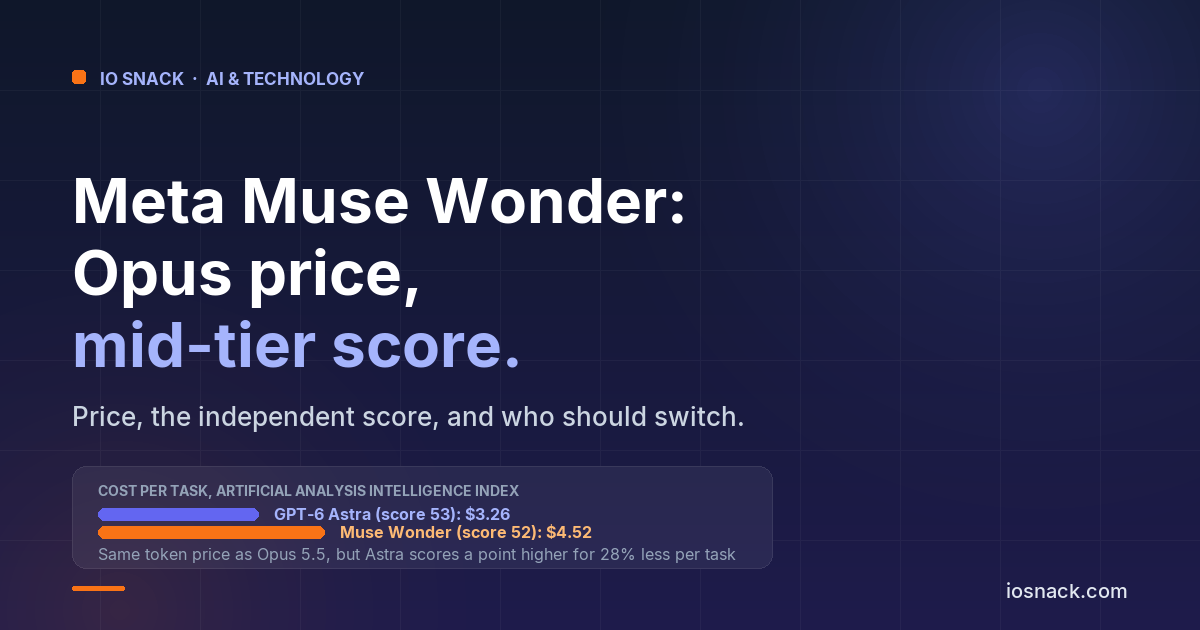
OpenAI says GPT-6.1 Sol matches Astra on its DeepSWE coding test and comes within 2.1 points of it on OSWorld 2.0, a computer-use test, at a fraction of the cost. Those are OpenAI's own benchmarks, but the independent tester Artificial Analysis already points the same way. On its leaderboard on 30 September, GPT-6.1 Sol at maximum effort scored 52 on its Intelligence Index for an average of $0.72 a task, against 53 for GPT-6 Astra at $3.26. The cached-input price matters too. An agent sends the same instructions and context with every request, so a cached price of $0.10 instead of $2.00 cuts a large recurring part of the bill.
For the same reason, OpenAI's new Agents API is worth a look. It now supports computer use, and OpenAI runs the underlying infrastructure, so your developer can focus on the application itself. The pattern we recommended in our open-weight models piece still applies. Send each job to the cheapest model that does it well. Sol is now a strong middle option between Luna for simple sorting and Astra for the hardest reasoning.
What to do this month
- If you are on ChatGPT Plus, do not upgrade just to get a dot until it appears in your account. Check first, then decide whether saved hours are worth about PKR 22,000 more a month.
- If you do upgrade, choose a Business Premium seat over personal Pro when you have a second user. Start with email and calendar only, set outgoing messages to "ask first", and write down what you connected.
- If you run on Microsoft 365, Autopilot will reach you through your admin as Microsoft widens its preview. There is no need to switch platforms for the sake of an agent.
- Keep your systems of record. Security cameras, tax invoices and customer conversations each need a dedicated system that works every time. Let the agent work around them, not in place of them.
If you are still choosing between assistants, our ChatGPT vs Claude vs Gemini comparison with Pakistan prices covers the plans below Pro. If you want help deciding which jobs in your business belong with an agent and which belong in a dedicated system, talk to us.